
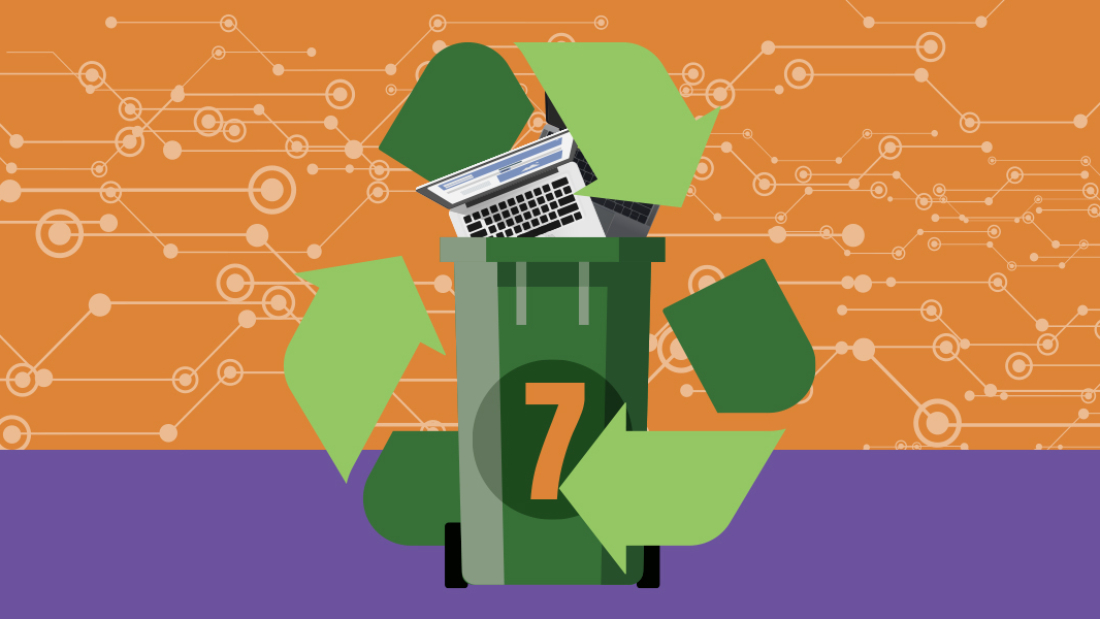
Responsible computer recycling can be a daunting task. Many people are unsure of the best way to do it.
It’s crucial to handle laptop disposal responsibly. Improper disposal can harm the environment and waste valuable resources.
Before you discard your old laptop, consider the data it holds. Personal information should be protected.
Data wiping is a vital first step. It ensures your private information doesn’t fall into the wrong hands.
Once your data is secure, you have several options for disposal. Recycling is a popular choice.
Recycling old laptops helps recover valuable materials. It also reduces the amount of electronic waste in landfills.
You might also consider donating your laptop. Many charities and schools welcome such donations.
Donating can give your old device a new life. It benefits those who might not afford a new laptop.
If you’re looking to make some money, selling is an option. Some companies offer cash for old laptops.
Trade-in programmes are another avenue. They often provide store credit or discounts on new purchases.
Local councils in the UK offer electronic waste collection services. These services ensure safe and legal disposal.
Certified e-waste recyclers play a crucial role. They follow strict guidelines to recycle electronics responsibly.
Understanding local regulations is important. It ensures compliance with legal requirements for IT equipment disposal.
By following these steps, you can dispose of your laptop responsibly. It benefits both you and the environment.
Safeguarding your data: The first step
Before parting with your laptop, securing your data is crucial. This ensures personal information does not get misused.
Data protection involves several key steps. Each of these helps guarantee privacy and security.
Start by backing up all essential data. This prevents loss of valuable files and documents.
After backing up, wipe your hard drive clean. This step removes all personal data permanently.
Consider physical destruction if you need absolute certainty. Physical destruction renders the data unrecoverable.
Degaussing is another option for sensitive data. It eliminates data using magnetic fields.
Lastly, professional data destruction services can help. These services ensure compliance and effectiveness.
1. Backup all your data
Data backup is foundational for protecting information. It provides a safety net against accidental loss.
To begin, identify the critical files on your laptop. It might include photos, documents, and software settings.
Use external hard drives or cloud storage for backups. These options offer reliability and accessibility.
Cloud services, like Google Drive or Dropbox, are popular. They provide easy access from any device.
Backup strategies to consider:
- Full backups: Copy all data for thorough protection.
- Incremental backups: Save changes made since the last backup.
- Differential backups: Back up changes since the last full backup.
Choose the strategy that suits your needs. Regular backups reduce the risk of data loss over time.
Ensure backup files are secure and protected with strong passwords. This safeguards against unauthorised access.
2. Wipe your hard drive
Once data is backed up, focus on wiping the hard drive. This step ensures no personal data remains.
There are software tools designed for this purpose. They overwrite the entire drive with random data.
Popular software tools include DBAN and CCleaner. These are effective and user-friendly for average users.
Steps to wipe your drive effectively:
- Choose a reliable wiping tool: Ensure its compatibility with your operating system.
- Download and install the software: Follow the on-screen instructions for installation.
- Select the wiping option: Opt for complete disk wiping for thoroughness.
- Perform the wipe: Let the software run and do its job.
Wiping a drive can take time, depending on its size. Be patient and let the process finish completely.
After wiping, verify that no personal data is recoverable. This provides peace of mind when disposing of the laptop.
3. Physical destruction
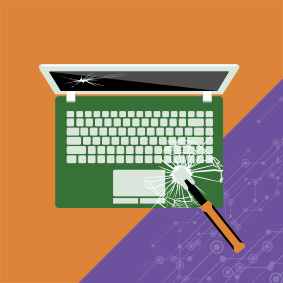
Physical destruction is a sure way to secure data. It’s useful when dealing with highly sensitive information.
This method renders the hard drive completely unusable. Thus, any stored data is irretrievable.
To destroy the drive, you can dismantle it manually. Remove it from the laptop carefully for more manageable handling.
A few ways to destroy the drive effectively:
- Use a hammer: Smash the drive repeatedly to break its components.
- Drill through the drive: Create holes that damage the storage platters.
- Use specialised shredders: These devices crush and shred the drive.
Avoid disposing of the drive with regular waste. Instead, take it to an electronic waste facility for proper disposal.
Following physical destruction, other laptop components can often still be recycled or reused.
4. Degaussing
Degaussing offers an advanced method for data destruction. It uses magnetic fields to scramble data on drives.
This process neutralises the magnetic storage, erasing data effectively. It’s useful for highly sensitive data scenarios.
For individual use, hiring a degaussing service is advisable. These services have specialised equipment for the task.
The typical degaussing process includes:
- Contacting a certified provider: Ensure they have the right credentials and equipment.
- Providing the hard drives: Label them clearly if using a third-party service.
- Receiving a certificate of destruction: This acts as proof of the data erasure process.
Consider degaussing if you work in a field requiring stringent data protection. It’s practical for businesses with sensitive data.
5. Hire data destruction services

Sometimes, professional help is the best option for data security. Data destruction services specialise in secure data removal.
These services provide compliance and efficiency. They are especially useful for businesses with multiple devices.
Reasons to hire data destruction services:
- Certified professionals: They follow industry standards and regulations.
- Documentation and certification: Receive proof of data destruction for your records.
- On-site and off-site options: Choose according to your convenience and security needs.
When selecting a service, verify their credentials. Look for certifications like ISO 27001 or R2 certification.
Professional services offer a range of options, from degaussing to physical destruction. Choose based on your data sensitivity level.
Ensure the provider explains their methods clearly. Transparency is key to understanding your data’s final fate.
Ways in which you can dispose of an old laptop responsibly
Disposing of old laptops requires considering several responsible options. These methods ensure that your laptop does not contribute to environmental harm. By doing so, you also support sustainable practices.
Firstly, choose recycling services that break down laptops safely. Recycling salvages valuable materials, reducing the need for new resources. Ensuring that your choice of service follows ethical standards is crucial.
Donating your device is another excellent option. This provides technological access to those who might not afford it otherwise. Many charities and schools are eager to receive functioning laptops.
In terms of selling, trade-in and cash-for-laptops schemes are available. These programmes allow you to earn some money while ensuring your laptop is reused. It’s a practical solution when looking to upgrade your technology.
Local authorities often offer electronic waste collection services. Participating in these can help ensure your laptop is disposed of in compliance with regional laws.
Consider the following disposal methods:
- Recycling services: Ensure they follow certified recycling processes.
- Donations: Offer your devices to charities or educational institutions.
- Selling: Use trade-in programmes for financial returns.
- Government services: Utilise community e-waste collection points.
a. Computer Recycling Services
Recycling services provide an effective solution to electronic waste. These services specialise in dismantling electronic devices safely. By recovering valuable resources, they help minimise environmental impact.
When selecting a recycling service, check for certifications. Certified recyclers adhere to strict environmental standards. These standards guarantee that your laptop is processed responsibly.
Many companies offer convenient recycling options. Some may even provide mail-in services. This adds flexibility, making it easier to recycle from the comfort of home.
Steps to ensure responsible recycling:
- Research local recyclers: Verify their credentials and reputation.
- Assess their recycling methods: They should clearly explain their procedures.
- Look for certifications: Approvals like ISO and e-Stewards mark reliable services.
- Consider convenience: Choose services that fit your schedule and location.
Recycling centres are often part of larger sustainability efforts. By choosing one, you contribute to broader environmental goals.
Recycling services aim to minimise what ends up in landfills. They recover precious metals and plastic, reducing the need for new resource extraction.
b. Take-back programmes
Manufacturers are increasingly recognising their role in sustainable practices. Many offers take-back programmes for old laptops. These programmes allow you to return old devices directly to the maker.
Take-back initiatives often provide incentives. Some companies offer discounts on new purchases. This encourages customers to engage in environmentally friendly practices.
Participation in these programmes requires minimal effort. Most brands provide clear instructions on their websites. Usually, you will receive a prepaid shipping label for sending back the device.
Steps to engage with take-back programmes:
- Visit the manufacturer’s website: Look for their take-back or recycling section.
- Register your device: Provide details about your laptop for tracking.
- Follow shipping instructions: Use provided labels or drop-off locations.
- Consider incentives: Check if returning your laptop offers discounts or rewards.
Take-back programmes ensure devices are handled safely. The manufacturers follow stringent recycling processes to recover parts and materials.
Ultimately, these programmes foster a circular economy. By returning products to manufacturers, you help close the loop on production cycles, supporting sustainability.
c. Find a certified e-waste recycler
Identifying certified e-waste recyclers is critical for responsible disposal. Certified facilities maintain high standards for processing electronic waste. They ensure that materials are recycled or disposed of properly.
A certified recycler dismantles and recycles components systematically. This reduces environmental impact by salvaging usable materials. Certification involves adherence to local and international e-waste management guidelines.
When searching for a recycler, look for specific accreditations. Popular certifications include R2, e-Stewards, and ISO 14001. These indicate compliance with ethical and environmental standards.
Steps to locate a certified recycler:
- Search online directories: Use keywords such as “certified e-waste recycler near you.”
- Verify their certifications: Check accreditation status on their website.
- Contact for more information: Ask about their recycling processes.
- Select based on reputation: Choose well-reviewed and recommended services.
Working with certified recyclers has significant environmental benefits. These facilities aim to minimise waste and pollution. They contribute to sustainability by recycling valuable resources efficiently.
Ultimately, choosing certified services supports responsible e-waste management. It ensures that your old laptops are processed according to industry best practices.
d. Be aware of local regulations
Awareness of local regulations is key to legal and responsible disposal. Countries and regions have various laws governing electronic waste. Understanding these rules helps prevent environmental and legal issues.
In the UK, the Waste Electrical and Electronic Equipment (WEEE) Directive applies. It ensures that e-waste is collected and processed appropriately. This directive encourages recycling, reducing the amount of waste in landfills.
Check with your local council for specific guidance. Some councils offer designated drop-off points for e-waste. They also hold collection events to facilitate public participation.
Steps to ensure compliance with local regulations:
- Research local council websites: Find out about e-waste policies in your area.
- Use designated collection centres: These locations follow regulatory standards.
- Participate in special events: Councils host recycling events for public convenience.
- Follow guidelines on hazardous materials: Proper disposal of batteries and screens is critical.
Being informed of local regulations protects you from potential fines or penalties. It ensures you contribute to regional sustainability efforts.
Compliance with local guidelines fosters accountability. It encourages proper disposal practices and enhances community awareness about e-waste.
e. Trade-in or donate
Another way to responsibly dispose of an old laptop is to trade it in or donate it. Trade-in programmes allow you to exchange old laptops for credit towards new purchases. Many retailers and manufacturers offer convenient trade-in services.
Research available trade-in offers. Compare different programmes to find the best value for your laptop. Often, assessments can be done online, providing instant estimates.
Donation is a meaningful alternative. Schools, charities, and community centres value functional devices. These organisations may refurbish laptops to provide access to technology for underprivileged communities.
Steps for trading in or donating:
- Search for trade-in programmes: Start with retailers and manufacturers you trust.
- Evaluate your laptop’s condition: This affects trade-in value or donation suitability.
- Consider the impact of donation: Check the organisation’s needs and device compatibility.
- Clear personal data: Always wipe devices before trading in or donating.
- Follow guidelines: Use appropriate packaging and shipping as instructed.
By trading in or donating, your laptop receives a new life. It helps bridge the digital divide and offers someone else invaluable access to technology.
Both options endorse a reuse culture. They ensure that laptops serve longer lifespans, reducing the demand for new resources and minimising waste.
f. Revenue-sharing understandings
For businesses, forming a revenue-sharing understanding with recycling firms can be a viable option. These agreements provide financial benefits while ensuring ethical disposal of IT equipment.
In a revenue-sharing arrangement, recyclers sell recovered materials. The proceeds are then shared between the business and the recycling firm. Such models are mutually beneficial and encourage environmental responsibility.
Advantages of revenue-sharing agreements include added incentives. Businesses can offset costs associated with technology purchases. It turns disposal into a potential revenue stream.
Steps to engage in revenue-sharing:
- Identify suitable recycling partners: Look for reputable firms with established practices.
- Negotiate terms: Ensure agreements outline earnings distribution clearly.
- Document the agreement: Have a formal contract detailing responsibilities and revenue split.
- Monitor recovery outcomes: Track earnings and materials recycled as part of transparency.
Revenue-sharing reflects corporate responsibility in dealing with e-waste. It demonstrates a commitment to sustainable practices while benefiting financially.
Ultimately, these agreements reinforce the importance of recycling and responsible disposal. They foster collaboration between companies and recyclers for a greener future.
Importance of laptop recycling in protecting the environment
Recycling laptops is vital for environmental protection. Each year, millions of devices are discarded, adding to growing e-waste concerns. Without proper disposal, these gadgets end up in landfills, leaching toxins into the ground and water.
By opting for responsible recycling, we can mitigate these detrimental effects. Recycling helps ensure that materials are reused, cutting down on new resource extraction. It’s an essential step towards a more sustainable future, conserving both energy and raw materials.
Recycling contributes to a circular economy model. This approach maximises the lifecycle of products by keeping them in use for longer. It not only preserves resources but also leads to reduced emissions.
Key environmental benefits of laptop recycling:
- Minimises landfill waste: Reduces the space required for waste disposal.
- Prevents pollution: Stops hazardous substances from contaminating ecosystems.
- Conserves resources: Saves metals and minerals for future use.
- Reduces carbon footprint: Limits the energy needed for mining and manufacturing.
Overall, laptop recycling plays a significant role in safeguarding our planet. It’s a straightforward action with impactful consequences, encouraging a more responsible mindset towards electronics consumption.
1. Reducing e-waste
E-waste reduction is crucial for environmental health. As technology advances rapidly, so does the volume of obsolete electronics. This surge in e-waste poses a significant challenge to waste management systems worldwide.
Old laptops contribute heavily to this issue. Each device contains various hazardous materials that can harm ecosystems. Proper recycling practices can help curb the environmental risks associated with e-waste.
Recycling reduces the burden on landfills. Instead of adding to landfill mass, recycling ensures safe processing of materials. Extracting components conserves space and minimises pollution risks.
Strategies to reduce e-waste include:
- Extending device life: Regular maintenance and repairs can prolong usability.
- Participating in buy-back schemes: These programmes encourage responsible disposal.
- Promoting product reuse: Donating or selling old equipment keeps it in use.
- Supporting recycling initiatives: Engaging with certified recyclers ensures proper handling.
By applying these strategies, we can significantly decrease e-waste. Each act of responsible disposal contributes to long-term environmental benefits. Ultimately, reducing e-waste demands collective effort and awareness.
2. Recovering valuable resources
Recovering valuable resources is a central benefit of laptop recycling. Each device contains numerous materials like gold, silver, and copper. These finite resources are essential for electronics manufacturing.
Mining new raw materials imposes considerable environmental costs. Recycling old laptops can help meet material demand without new extraction. It’s a sustainable alternative that supports responsible resource management.
Besides metals, laptops contain plastics and other recoverable components. Recycling processes separate these materials for reuse, minimising the need for virgin resources. This reduces manufacturing costs and environmental impact.
Benefits of resource recovery through recycling:
- Reduces mining reliance: Lower demand for raw minerals preserves ecosystems.
- Lowers manufacturing expenses: Recovered materials cut production costs.
- Conserves energy: Recycling uses less energy than virgin material extraction.
- Supports industrial sustainability: Encourages resource-efficient production.
Resource recovery is an essential step in sustainable development. Through it, recycling not only protects the environment but also strengthens economic resilience. This process exemplifies how technology and eco-consciousness can coexist.
Final Thoughts
Embracing responsible laptop computer disposal is a critical action for both individuals and businesses. By following sustainable disposal methods, we not only protect the environment but also safeguard personal data. Proper disposal is a necessary step towards reducing the global e-waste burden and promoting a healthier planet.
Choosing to recycle or donate old laptops extends their utility and benefits society. It’s a simple yet impactful way to contribute positively to both the community and the environment. Each small action accumulates, leading to significant changes over time.
Finally, staying informed about local regulations and available recycling programmes ensures compliance and optimises environmental impact. As technology progresses, our commitment to responsible disposal must remain steadfast. Together, we can cultivate a more sustainable future, ensuring electronic waste does not overshadow technological advances.
Need help managing the process? Contact CiLifecycle for expert support and compliant, eco-friendly disposal solutions.
To learn more about Centerprise International Group, please visit our website.
FAQs
Disposing of an old laptop can be perplexing. To clear up some common questions, here are concise answers to frequent queries. This will assist you in making informed decisions about your laptop disposal. Understanding these topics ensures you proceed responsibly and efficiently.
Does removing the hard drive remove all data from the computer?
Simply removing the hard drive does not erase data. The files stay on the drive until overwritten. To truly clear data, you must perform a secure wipe using specialised software. This prevents any recovery of sensitive information. Alternatively, physical destruction of the hard drive can ensure that the data is irretrievable.
How do I dispose of an old laptop near me?
To find local disposal options, begin with your local council’s waste management services. Many areas provide electronic waste collection points. Additionally, search online for “computer recycling near me” to locate certified e-waste recyclers. These services ensure proper recycling and compliance with environmental standards.
Should I destroy the laptop before recycling?
Physical destruction ensures sensitive data remains protected, especially when reformatting alone isn’t enough. However, physical destruction is not necessary if you’ve securely wiped the data. Certified recyclers are equipped to handle data destruction, offering peace of mind. It’s advisable to confirm that their procedures align with your data security needs before handing over your laptop.
